

Description
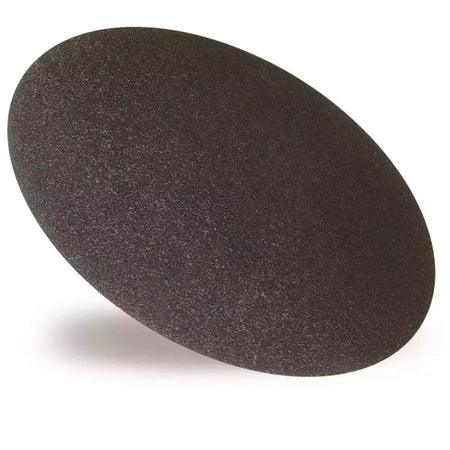
The DED7767G24 abrasive disc is Dedra's grade 24 disc for the DED7767 plaster trowel: a 370 mm silicon carbide disc for taking off old paint, levelling a wall before new plaster goes on, clearing adhesive and plaster residue, and smoothing polystyrene boards on an insulation job. It sits in the power float and sponge range beside the Dedra DED7767 plaster trowel it is made for.
What the DED7767G24 Abrasive Disc Is For
Dedra's catalogue entry for this code names four jobs, all of them preparation work done before a new layer goes on the wall:
- Old paint layers: removing them from the surface.
- Levelling: evening out and preparing a surface for a new layer of plaster.
- Residue: cleaning off adhesive and plaster.
- Smoothing expanded polystyrene boards during building insulation.
The attribute table puts it more briefly: removal of old coatings of paint and adhesives, and lapping polystyrene foam. Finishing a coat of plaster is not on either list, so this is a disc for getting a surface ready, not for closing it.
DED7767G24 Data From the Dedra Catalogue
| Property | DED7767G24 |
|---|---|
| Code | DED7767G24 |
| Barcode (EAN) | 5902628776853 — the same number this listing carries |
| Gradation | 24 |
| Disc diameter | 370 mm |
| Abrasive | Silicon carbide |
| Type | Circular abrasive disc |
| Made for | Dedra DED7767 plaster trowel |
Dedra publishes the same data in English and in Polish, and the two versions agree on every line above.
370 mm or 390 mm: Order by the Code
The catalogue entry prints two diameters. The description and the field headed "disc diameter" both give 370 mm; a second field headed simply "diameter" gives 390 mm, with no note on what it measures. 390 mm is also the figure Dedra gives for the DED7767's own disc and for the DED776701 mounting disc, but the entry does not say that this is what the field describes. The safe way to order is by the code DED7767G24 or by the barcode, not by a diameter.
Fitting the Disc to the DED7767
The working discs of this machine sit on its mounting disc, which is screwed to the spindle. Dedra's entry for the DED776701 mounting disc describes four hook-and-loop fasteners for attaching compatible accessories. The entry for the DED7767G24 abrasive disc does not describe its own fixing. The DED7767 manual's sentence about Velcro names the sponge, plastic and peeling discs rather than the abrasive grades, so when the disc arrives, look at its back against the face of the mounting disc before the first job.
The manual is also not a full parts list. Its accessory list names three discs — DED77671, DED77674 and DED77675 — and neither abrasive grade is among them; the catalogue entry is what ties this disc to the machine. The machine rules that apply to every disc still hold:
- Do all preparation with the machine unplugged.
- Start it held horizontal and off the wall, and let it reach full speed before it touches the surface.
- Guide it in semicircular movements, with pressure matched to the job, checking the surface as you go.
- Wear hearing protection whenever it runs; the machine is rated S2 15 minutes, so work in spells.
When the Disc Is Worn
The DED7767 manual asks for the abrasive disc to be checked for wear before each use, and its fault table gives a worn abrasive disc as the cause of low grinding efficiency. When the disc stops cutting the way it did, that is the point to change it rather than press harder.
- Before each use: look at the abrasive face for wear.
- Grinding slows: the manual names a worn disc as the cause, so fit a new one.
- After each job: clean worked material off the machine and clear the motor air inlets, ideally with compressed air.
Grade 24 or Grade 16
| Disc | Gradation | Diameter and abrasive | Dedra's description |
|---|---|---|---|
| DED7767G24 (this disc) | 24 | 370 mm, silicon carbide | paint, levelling, plaster residue, EPS |
| DED7767G16 abrasive disc | 16 | 370 mm, silicon carbide | paint, levelling, paint residue, EPS |
Dedra gives the two grades the same size, the same abrasive and the same attribute line; their descriptions differ by one word, plaster residue on the 24 and paint residue on the 16. Dedra does not say which grade to use first or on which surface. On the usual grit scale a lower number means a coarser grain, which makes the 16 the coarser of the pair and the 24 the finer — whether you run one after the other is a site decision, not a Dedra instruction.
Two other discs in the range do related work. For old paint and wallpaper, the DED77675 scraping disc is the removal option with six steel blades instead of an abrasive face. For floating and smoothing lime-cement and gypsum plaster once the surface is ready, Dedra lists the DED77674 polystyrene disc. How the stages run together on site is covered in the power float techniques and tool selection guide.
Is the DED7767G24 the Right Disc?
- You run a Dedra DED7767: this is the machine the disc is made for.
- Old paint, adhesive or plaster residue, levelling before new plaster: these are the jobs Dedra lists.
- Polystyrene boards on an insulation job: smoothing expanded polystyrene is named on the entry.
- For a power float of another make, check that machine's own documents first: Dedra names only the DED7767 for this disc.
- A finishing pass on fresh plaster: not a job Dedra lists for this disc; the sponge and polystyrene discs cover that stage.
Ordering, Delivery and Returns
Renders World stocks the DED7767G24 abrasive disc alongside the machine and the other working discs. Orders are processed the same day when the disc is in stock, and delivery is not calculated at checkout: the Renders World team quotes it after the order comes in.
- Courier: small parcels up to 25 kg go on a next-day service, and every delivery is kerbside.
- Collection: Unit 9A, Central Trading Estate, Southampton SO14 5JP, Monday to Friday 7am to 5pm and Saturday 7am to 12pm.
- Returns: a change-of-mind return runs to 14 days, with the disc in its original condition.
DED7767G24 Questions Buyers Ask
Which machine does it fit?
Dedra makes it for the DED7767 plaster trowel and names no other machine on the entry.
Is it 370 mm or 390 mm?
The DED7767G24 abrasive disc is listed at 370 mm in the description and in the disc diameter field; a separate field reads 390 mm without explanation. Order by the code or the barcode.
What is the difference from the DED7767G16?
The gradation, and one word in the description. Size, abrasive and the listed jobs are the same; the 24 is the finer grain of the two.
How many discs does a wall take?
Dedra gives no service life or area per disc. The manual's rule is to check the disc before each use and change it when grinding slows, so keeping a spare on site is the practical answer.
Technical Documentation
- Dedra catalogue entry DED7767G24 — description, gradation, diameters, abrasive, barcode.
- Dedra DED7767 instruction manual (PDF) — assembly, operation, wear check and fault table for the machine.