
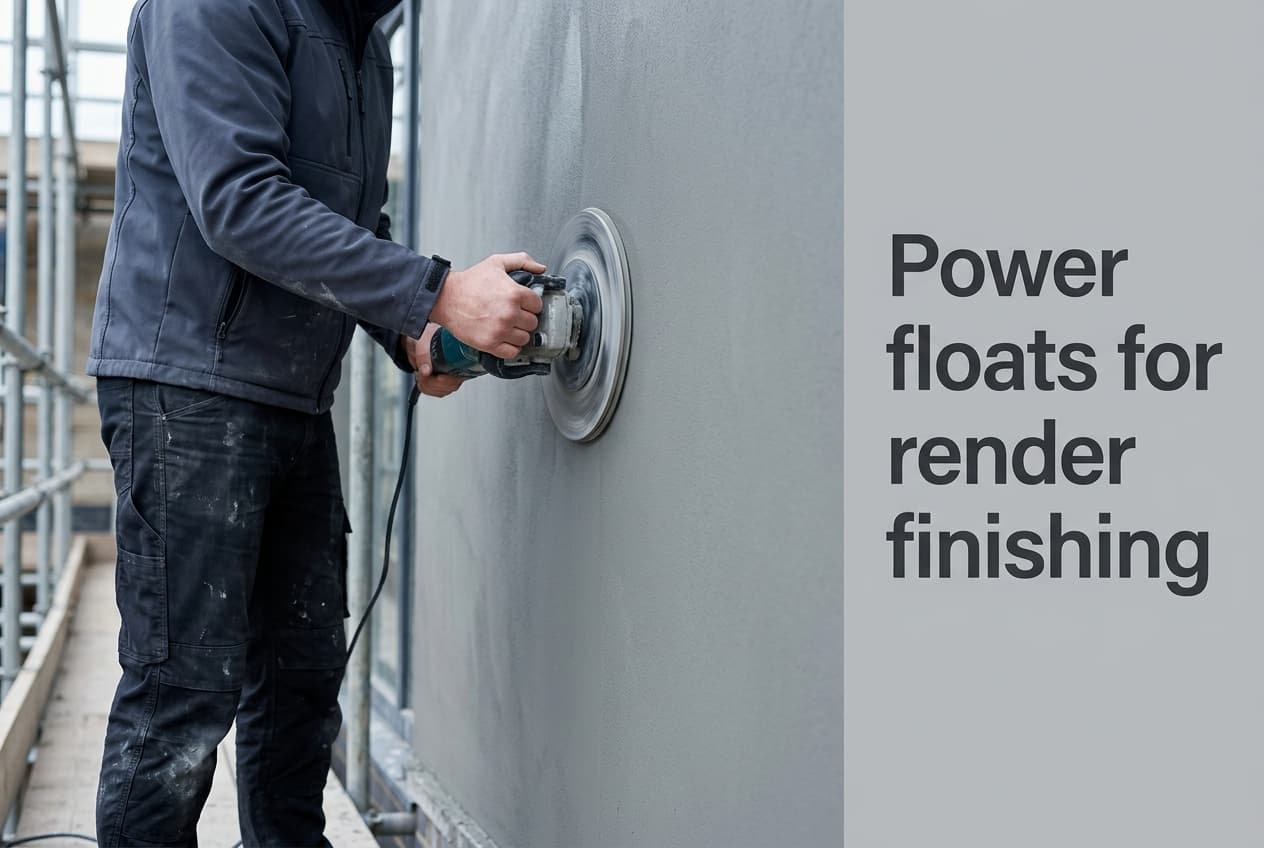
The Dedra DED7767 is sold here as a render smoothing machine, and the manual fetched this session — revision 7767.100725.V6, valid for units made after 1 January 2023 — is narrower than that name suggests. It declares the machine for lime-gypsum plasters and for removing unevenness from existing plaster, not for texturing fresh thin-coat silicone. That distinction decides where the machine earns its place on a rendering job, and it is the honest starting point for tool selection. The full range sits in the Renders World power floats and sponges collection.
What the Manual Declares About Power Floats for Render Finishing
Power floats for render finishing are governed by a duty cycle rather than by disc size, and the DED7767 manual declares permissible working conditions of S2, 15 minutes — an intermittent rating that makes a full elevation a sequence of planned working periods with cool-down between them. That single line reshapes how a day is programmed more than the 710 W rating or the 390 mm disc does.
Read the declared purpose alongside it. The manual states the machine serves, depending on the disc fitted, for floating and smoothing lime-gypsum plasters, removing unevenness from existing plasters, stripping wallpaper, clearing mortar squeeze-out from between bricks, and taking dried plaster off concrete floors. It adds that sponge discs of varying hardness can float and level lime-cement and gypsum plasters, both internal and external. Thin-coat silicone render texturing appears nowhere in it, so the machine's documented role on a rendering contract is substrate preparation and plaster work rather than setting grain on a silicone topcoat.
| Declared in the DED7767 manual | Value |
|---|---|
| Rated power | 710 W |
| Supply | 230 V, 50 Hz, Class II, IP20 |
| Rotational speed | 110 min⁻¹ |
| Disc diameter | 390 mm |
| Permissible working conditions | S2, 15 minutes |
| Sound pressure LPA | 83.4 dB(A), uncertainty 3 dB(A) |
| Sound power LWA | 94.4 dB(A), uncertainty 3 dB(A) |
| Vibration at handle ah | under 2.5 m/s², uncertainty 1.5 m/s² |
| Minimum cable and fuse | 1 mm², 10 A type C |
Noise and vibration were determined to EN 60745-1:2009 and EN 60745-2-3:2011 respectively. The manual is explicit that the declared vibration figure is a standard-method comparison value, that real exposure varies with the working tool and the material, and that a proper exposure assessment must include the parts of the cycle when the machine is switched off or running unloaded — which is exactly the kind of qualification a single headline figure hides.
How to Run the Machine, Step by Step From the Manual
The operating sequence is short, and following it protects both the surface and the motor. Every preparatory step is carried out with the machine disconnected from the supply.
- Assemble before first use. Fit the float disc onto the spindle shank, matching the hole to the shank profile, then tighten it with the screw. Working ends — sponge, plastic, or stripping disc — attach to that plate with hook-and-loop.
- Check the supply. Confirm mains voltage against the rating plate; for a 700–1400 W tool the manual specifies a 1 mm² minimum conductor and a 10 A type C fuse, with extension leads no thinner than that.
- Start it off the surface. Hold the machine horizontally with no contact against wall or ceiling, press and hold the round safety button on the left of the main handle, then squeeze the trigger.
- Let it reach maximum speed before floating. The manual is explicit that work does not begin until full speed is reached.
- Adopt a stable stance — feet slightly apart, torso leaning in — and match pressure to the work.
- Guide it in semicircular movements, checking the surface as you go until the required smoothness is reached. The plaster may be dampened as needed.
- Never leave it idling or connected unattended, and unplug at the end of work. Keep the body, vents and switch free of residue and splashes.
Disc selection comes straight from the same section, and only three of the five have an undisputed function. The plastic disc with mesh handles larger unevenness or plaster that has dried too hard. The sponge disc is for the finishing pass on wall surfaces. The two remaining codes are covered separately below, because their identity is unresolved.
Key Takeaway: Plan the work in 15-minute periods with cool-down between them, start the machine clear of the wall and let it reach full speed, and guide it in semicircular passes. Where the surface is fresh thin-coat silicone, the render manufacturer's own sheet governs technique — not this manual, which does not cover that material.
Why Two Pad Codes Cannot Be Ordered by Function
This is the most commercially useful finding on the page. The manual assigns DED77674 to the stripping disc — for clearing squeeze-out from bare masonry, removing old render coatings and paints, and floating cement-lime plaster before tiling — and DED77675 to the polystyrene disc, for finishing pre-worked surfaces smooth in preparation for wallpaper. It does this consistently in both its usage section and its accessories list. The live product titles in this collection assign the two codes the other way round.
One of those two sources is wrong about what is in the box, and this session cannot establish which. So this page states no function for either code, in any wording. What is certain is worth having:
- Both discs exist and fit this platform, attaching to the same float plate by hook-and-loop.
- Neither is supplied with the machine. The manual marks both brak w kompletacji — not included, to be purchased separately.
- The manufacturer's accessory list runs to three items only: DED77671, DED77674 and DED77675. The pad range stocked here is larger, so pad availability is a supplier question rather than a manufacturer one.
- Order by code and describe the job. Quote the code to the Renders World technical desk, which confirms against current stock before dispatch — the reliable route while the discrepancy stands.
What Comes in the Box, and What a Working Kit Costs
The manual's completion list settles a question buyers routinely get wrong. Supplied with the machine are: the DED7767 itself, the float disc, a plastic disc with mesh, a sponge plate, a set of screws, a screwdriver, and a set of electrographite brushes. First-day floating therefore needs nothing added.
- Dedra DED7767 render smoothing machine — £180.00 at the Renders World product endpoint, August 2026, no VAT figure displayed.
- DED77671 sponge disc — £14.50, and a replacement rather than a first purchase, since a sponge plate ships with the machine.
- Grid 16 abrasive disc — £10.90, for abrasive stages the supplied discs do not cover.
- KAEM 20 × 14 × 7 cm sponge — £2.60, for the reveals and bead lines a 390 mm disc cannot reach.
- Machine plus one abrasive stage plus a hand sponge: £180.00 + £10.90 + £2.60 = £193.50, material only.
Note what that arithmetic exposes: the grid discs and the KAEM sponges are the genuine additions to a first order, while the sponge and plastic discs are consumable replacements. A buyer told to purchase a "full pad set" up front is being sold two items already in the box.
Where Hand Sponges Still Do the Work
A 390 mm disc has a turning circle, and facade work is full of places it cannot go — window reveals, door surrounds, bead lines, narrow returns and verge details. Hand sponges own those zones, and the KAEM range covers them in three formats: 200 × 140 × 70 mm, 230 × 115 × 70 mm, and 150 × 100 × 50 mm, all read from the live product pages. Working the detail zones in parallel with machine passes keeps them from becoming an end-of-day job.
Where the machine is preparing a surface rather than finishing one, it is working on material from the EPS adhesives basecoats range, and the finish that follows comes from the silicone render range — whose own data sheets carry the application and texturing method for that material, including the manufacturer's position on combining hand and machine application on one building. Residue left after finishing moves to the render cleaning products range.
Maintenance Intervals and Protective Equipment
Two intervals come straight from the document and are worth diarising. Check the electrographite brushes no less often than every 20 to 30 hours of use, more frequently with heavy use, and replace them once shorter than 5 mm — they carry no wear limiter, which is why the check is manual. Brushes sit at the sides of the motor behind screw-in caps and are changed with a small screwdriver.
- Keep the motor air inlets clear. The manual singles this out as very important and recommends blowing the tool through with compressed air.
- Inspect the abrasive disc before every start and always work with sound working ends.
- Clean off residue after every session, and store the machine out of reach of children.
- Avoid damp. The manual instructs it directly, consistent with the IP20 rating — a real constraint on exterior work.
- Two named faults, two named causes: overheating traces to blocked vents or worn brushes, and poor sanding efficiency to a worn abrasive disc.
On protection, the manual's pictograms mandate eye protection, respiratory protection and hearing protection, and it warns that noise can damage hearing and that hearing protection must always be worn during work — which follows from the declared 83.4 dB(A). It also flags mechanical hazards. Unauthorised modification or servicing beyond what the manual describes voids both the warranty and the declaration of conformity. For the dust generated by abrasive stages, HSE construction health guidance is the reference for assessing and controlling exposure on site; substrate composition determines what is actually required, so that assessment belongs to the job rather than to a tool page.
Ordering the Right Stage of Kit
Tool selection here comes down to three checks: whether the material is one the manual covers, whether the panel suits 15-minute working periods, and whether the disc you need is one of the three undisputed codes or one of the two in dispute. Start with the machine and what ships with it, add abrasive stages when the work calls for them, and keep a hand sponge for the detail zones. Renders World confirms disputed codes against stock before dispatch, so quote the code and describe the job.
Written by Mariusz Saja. Technically reviewed by Renders World Team. Last reviewed Aug 2026.
Power Float Use — Your Questions Answered
Can it run continuously across a full elevation?
No — the declared working condition is S2, 15 minutes, an intermittent rating, so the work is planned as periods with cool-down between them. Sectioning an elevation suits render timing anyway, and it keeps the machine inside what the manufacturer specifies.
Can it be used to texture thin-coat silicone render?
The manual does not cover that material. Its declared purpose is lime-gypsum plasters, unevenness in existing plasters, wallpaper stripping, mortar squeeze-out and dried plaster on concrete floors, with sponge discs for floating lime-cement and gypsum plasters internally and externally. For texturing a thin-coat silicone topcoat, work to the render manufacturer's data sheet, which specifies the method and the hand-versus-machine position for that product.
How many pads does a first kit need?
None for floating work. The machine ships with the float disc, a plastic disc with mesh, a sponge plate, screws, a screwdriver and a brush set. Abrasive work needs a grid disc, and one hand sponge at £2.60 is a sensible addition for detail zones.
Which disc does which job?
Three are clear from the manual: the plastic disc with mesh for larger unevenness or over-dried plaster, and the sponge disc for the finishing pass on wall surfaces. DED77674 and DED77675 are the two whose function the manual and the live titles dispute, so order those by code and describe the job rather than selecting on a stated function.
Do the discs fit other machines?
The float plate is screw-fixed to this spindle and the working ends attach to it by hook-and-loop, so the assembly is specific to this platform and its 390 mm plate. Confirm your machine model before ordering, since the manual describes only this arrangement.
What maintenance keeps it working?
Clear residue after each session, keep the motor air inlets clean, inspect the abrasive disc before each start, check the brushes every 20 to 30 hours and replace them below 5 mm. Blocked vents or worn brushes are the manual's named causes of overheating; a worn disc is its named cause of poor sanding efficiency.
What protective equipment is required?
Eye, respiratory and hearing protection, all three mandated by the manual's pictograms, with hearing protection to be worn throughout work given the declared 83.4 dB(A) sound pressure. Mechanical hazards are flagged, and the Class II, IP20 machine is kept away from damp. Match respiratory protection to the substrate being worked, using HSE construction health guidance to assess it.