


Description
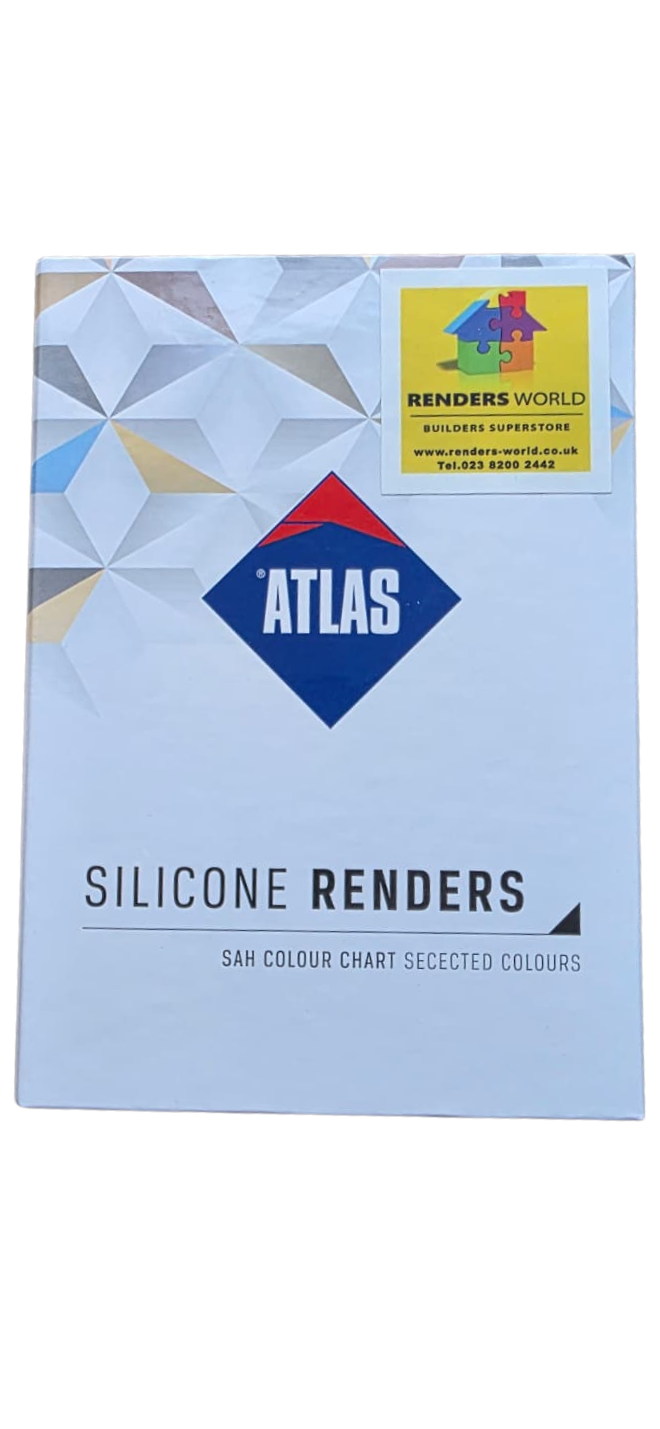
A facade colour gets approved with a card held against the wall, not with a swatch on a screen. The Atlas render colour chart puts applied, textured facade render in the hand, so the shade can be compared outdoors in daylight, beside the brick, tiles and window frames the finished wall will sit with. At Renders World it sits in our render colour chart range, alongside the Atlas and Ceresit sample books.
What the Atlas Render Colour Chart Holds
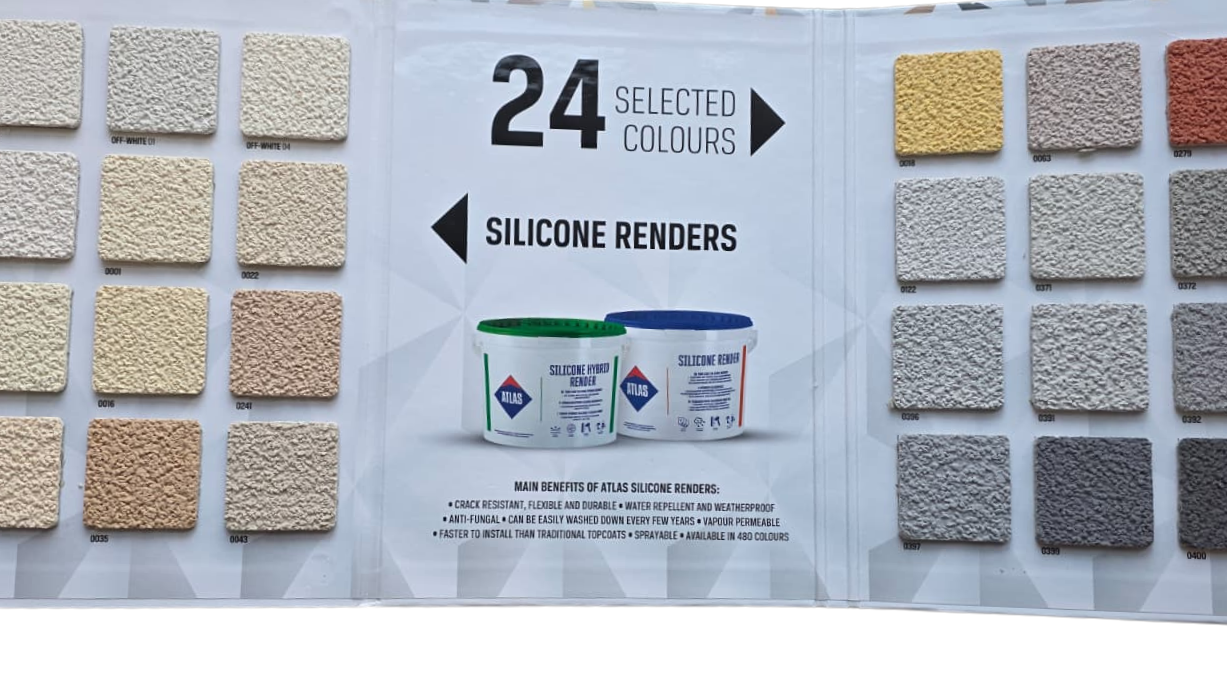
The Atlas render colour chart is a fold-out card carrying 24 selected shades of Atlas's silicone facade finish. Each swatch is real render with its texture, not a printed patch, and each has its own printed label, which is the reference the order is tinted to. The cover names the SAH colour scheme, the palette Atlas uses for its facade renders and paints.
| Feature | What the card carries |
|---|---|
| Maker | Atlas Sp. z o.o., Łódź, Poland |
| Format | Fold-out card, three panels |
| Swatches | 24 applied, textured render samples |
| Labels | A printed code or colour name under each swatch |
| Colour scheme | Atlas SAH, selected shades |
| Renders it represents | Atlas silicone facade finishes |
| Tonal range | Off-whites and creams to deep greys |
The Atlas render colour chart is a shortlist rather than the whole scheme. Atlas offers that render in the SAH palette, so a code that is not on the card can often still be ordered. The Atlas online colour chart shows which shades are available for each product group, and the wider Atlas catalogue in the same range shows the shades the card leaves out.
Why a Physical Swatch Settles What a Screen Cannot
Atlas publishes its palette as an online colour chart, and on that tool it warns that shades on a monitor can differ from the real ones because of screen and graphics card settings. Its own advice is to confirm a shade against the original colour chart before buying, and to allow for the texture of the surface, the size of the wall, the strength of the light and the substrate underneath. A card of applied render answers all four at the wall itself, and that is the whole job of the Atlas render colour chart.
- Take the card outside at the property and hold the candidates flat against the wall, then step back to the distance the elevation is normally seen from.
- Look again at another time of day, since a north wall and a south wall light the same shade quite differently.
- Set the last two candidates against the fixed materials, such as brick returns, roof tiles and window frames, because those are what the render has to live beside.
- Photograph the chosen swatch with its label in view and write that code on the order.
Texture changes colour as much as pigment does. The swatches are textured render, so the grain ordered for the wall alters how the shade reads from the pavement, and render grain size and how it shifts the finish covers that choice.
Checking a Dark Shade Before It Goes on Insulation
Every SAH code has a light reflectance figure, known as HBW: the share of light the finished facade reflects, so the higher the figure, the less solar energy the wall takes in. Atlas's online colour chart gives it beside each code, together with the RGB value; the palest shade in the scheme, SAH 0001, reads 85 %.
| Atlas colour guidance | Figure |
|---|---|
| Lowest HBW for render on external wall insulation | 20 % |
| Largest share of the facade below that line | One tenth |
| HBW of SAH 0001, the palest code | 85 % |
Atlas's general guidance for external wall insulation is to avoid render colours with an HBW below 20 % and to keep any such colour to no more than one tenth of the facade. The render's own data sheet sets separate conditions for darker shades, tied to the reinforcing layer beneath the render. Where the favourite card falls below that line, agree the build-up first and approve the colour after, and how dark render behaves under strong sun explains the reasoning.
From an Approved Card to the Right Bucket
The approved code decides which base bucket we tint. At Renders World, whites, creams and light shades are tinted on the white base, and mid-tone and deep shades on the grey base.
| Approved shade on the Atlas render colour chart | Bucket we tint |
|---|---|
| Whites, creams and light shades | Atlas Silicone Render White Base |
| Mid-tone and deep shades | Atlas Silicone Render Grey |
Tinting is done in the shop as orders arrive, so a tinted order runs on the same schedule as a stock order. The approval still has to come first: tinted products stand outside our change-of-mind returns, so the card is the moment to be sure of the shade.
Two lines on the Atlas render data sheet keep the approved colour even once the buckets arrive. Render with one date of manufacture should go on each surface, and hand and machine application give different structures and must not be combined on one building. Both buckets, with the rest of their specification, sit in our range of render for EWI systems.
Which Colour Card in This Range Fits the Project
Five references sit alongside each other in this range, and each answers a different question.
| Reference | What it shows | When to choose it |
|---|---|---|
| Atlas Render Sample 24 Colours | A shortlist of applied Atlas facade shades | A domestic facade decision made on site |
| Atlas Catalogue 480 Colours Sample | The wider Atlas colour catalogue | An architect's code or a shade off the shortlist |
| Ceresit Colour Sample Book 1 and 2 | The Ceresit facade palette | A wall finished in Ceresit render |
| Ceresit Mosaic Sample Book | Ceresit mosaic finishes | Plinths and feature bands in mosaic render |
| Atlas Concrete and Brick Sample Book | Concrete and brick effect finishes | A decorative concrete or brick-look facade |
A plinth in mosaic is chosen from its own samples, because a flat card cannot show a coloured aggregate, and the plinth and mosaic finishes have their own range.
Ordering the Chart
Renders World sends the Atlas render colour chart as a small parcel, and the order terms are short.
- Dispatch: orders are processed the same day when the chart is in stock, and small parcels travel by next-day courier.
- Delivery cost: our team contacts you after the order with the cost, because the online store does not calculate it at checkout; every delivery is kerbside.
- Collection: in person from our Southampton counter at Unit 9A, Central Trading Estate, SO14 5JP, Monday to Friday 7am to 5pm and Saturday 7am to 12pm.
A chart bought from us can be returned within 14 days in its original condition.
Once a card is approved, running a colour chart through a live project follows the code from sign-off to the scaffold, and a guide to selecting a render colour covers pairing it with roof, brick and joinery. For the palettes UK facades are moving towards, earth-tone facade schemes for 2026 gives the direction.
Questions Before Ordering the Colour Card
Which renders do the swatches match?
The Atlas render colour chart is made for Atlas's silicone facade finish, and its labels follow the SAH scheme that render is tinted in. On our shelf that means the white base and grey base buckets in the table above.
How many colours does the card show?
It shows 24 selected shades. The render itself is made in the SAH palette, so codes beyond the card can be ordered where Atlas lists them for that product group, and the wider Atlas catalogue in this range is the place to look beyond the shortlist.
Can I choose from the colours on my screen instead?
Atlas advises against relying on a monitor: its online chart states that displayed shades can differ from the real ones, and recommends confirming the shade against the original colour chart, with the texture, wall size, light and substrate taken into account.
How dark can the colour be on an insulated wall?
Atlas's general guidance is to avoid an HBW below 20 % on external wall insulation and to keep such colours to one tenth of the facade at most. Type the code from the card into Atlas's online colour chart to see its HBW, then confirm the render sheet's own condition for that shade before approving it.
Can tinted render be returned if the colour disappoints?
No. Tinted products stand outside our 14-day change-of-mind returns, which is why the approval belongs on the card rather than on the wall. The chart itself can be returned within 14 days in its original condition.
Technical Documentation for the Atlas Colour Card
- Atlas Colours Chart — the manufacturer's online palette, with the HBW light reflectance and RGB value for each SAH code, and its guidance on dark colours for external wall insulation.
- ATLAS Silicone Render technical data sheet — the SAH colour scheme, one manufacture date per surface, hand and machine application, and the conditions for darker shades; sheet updated 29 March 2022.